
What is the Blacklist tag?
Blacklist is a standard guest tag that is always available in aleno. It can be added to any guest profile, for example in the case of repeated no-shows or other unwanted incidents.
When a guest profile is marked with the Blacklist tag, this is immediately visible to your team in the backend.
Adding a guest to the blacklist
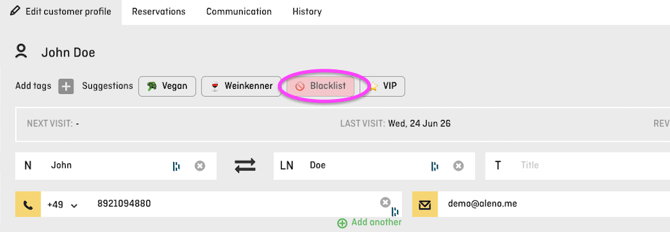
Open the relevant guest profile and select the Blacklist tag under guest tags.
What happens when the guest makes a new online reservation?
If a tagged guest tries to make another reservation through the reservation widget using the same guest details stored in the guest profile, the reservation will not be confirmed automatically.
Instead, the reservation is submitted to aleno as provisional and appears in the aleno Dashboard Professional. Your team can then decide individually whether to confirm or decline the reservation.
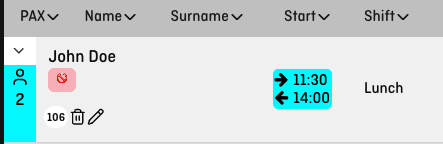
The guest is not directly informed that their guest profile has been marked with the Blacklist tag. This allows your team to review each request individually and decide based on the current occupancy and the specific situation.