
Custom fields (UDFs) allow you to make specific information from your PMS visible directly in the aleno guest profile or reservation view – such as guest type, memberships, or marketing consent. This helps you tailor your service even more precisely.
Configuration
Here’s how to activate the desired UDFs in aleno:
-
Open the aleno Marketplace and log in using your usual aleno credentials.
-
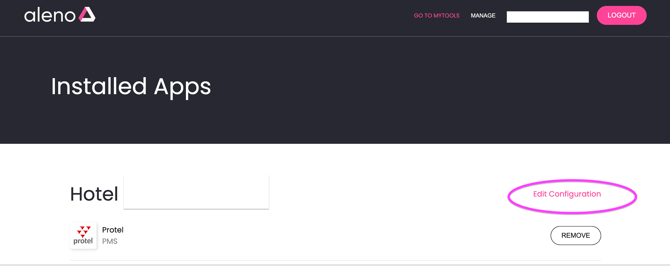
Click on “Edit configuration” in your PMS integration section.
-
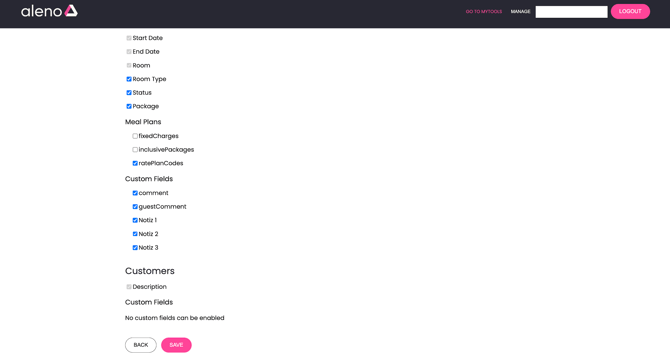
Select the fields you want to display in aleno by ticking the corresponding checkboxes.
-
Save your selection.
In all of the following integrations can UDFs be configured via the marketplace.
- Protel
-
Opera (profile comments, reservation comments)
-
Mews (customer notes, reservation notes)
-
Apaleo (guest comment, comment)
-
Fidelio ( Reservation comment 1, Reservation comment 2, Guest comments, Notes)
-
Shiji (customer preferences, custom fields, guest messages)